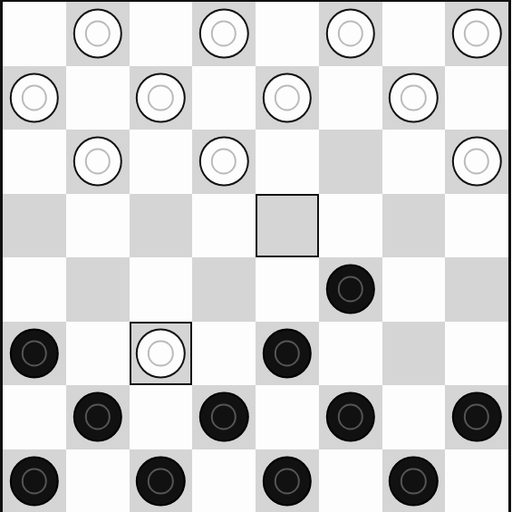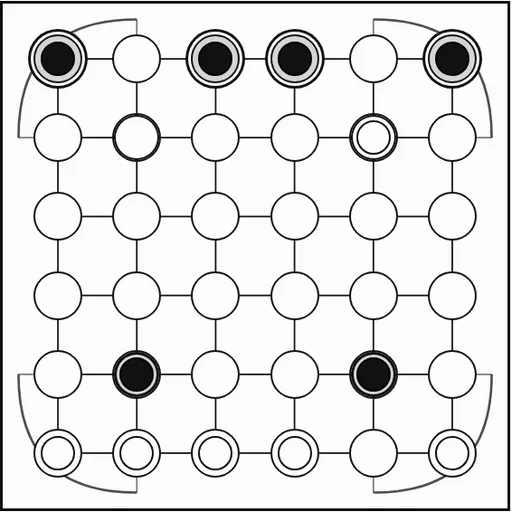
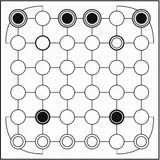
Surakarta is a capture game named after the city of Surakarta on the island of Java in Indonesia. This version comes from Christopher Müller’s open-source PaperGames collection and uses a simplified form of the traditional rules. The board is a 6x6 grid with curved loop tracks at its corners. Each side starts with 12 stones on the two rows nearest them. The special idea is that you can only capture by sending a stone around one of those loops, so attacks often come from the far side of the board.
How to Play Surakarta
Black moves first. On your turn you do one of two things. You can step one stone to an empty neighboring point in any of the eight directions, including diagonals. A step like this never captures.
Or you can make a capture slide. The stone travels in a straight line along the second or fifth row or column. When it reaches the edge of the board, a corner loop carries it onto the matching column or row, and it keeps going. After it has gone around at least one loop, it captures the first enemy stone it reaches and stops on that point. In this version, stones met along the way do not block the slide. The game highlights captures you can make when you pick a stone.
Capturing is optional. You win by taking all of your opponent’s stones or by leaving them with no legal move. The score line shows how many stones each side has captured.
Surakarta Controls
| Action | Keyboard | Mouse | Touch |
|---|---|---|---|
| Step a stone | Arrow keys and Enter to pick the stone, then the empty point | Click your stone, then an empty neighboring point | Tap your stone, then an empty neighboring point |
| Capture along a loop | — | Click your stone, then the highlighted enemy stone it can reach | Tap your stone, then the highlighted enemy stone it can reach |
| Start a game against the computer | — | Click "vs Computer", pick black or white and a level, then click "New game" | Tap "vs Computer", pick black or white and a level, then tap "New game" |
| Take back a move | — | Click "Undo" | Tap "Undo" |
Tips and Strategies
- Watch the four loop lines. Any stone of yours on the second or fifth row or column may be open to attack from around a corner.
- Move threatened stones off the loop lines. The other rows and columns are safe from captures.
- Check every direction before stepping. A quiet step onto a loop line can hand your opponent an easy capture.
- Count threats each turn. If both sides can capture, the player who strikes first often trades ahead.
- Use the Undo button to learn the loops. Replaying a position helps you see which paths reach which points.
Features
- A 6x6 board with four corner loop tracks drawn on screen
- Captures highlighted when you pick a stone
- Computer opponent at Easy, Medium and Hard levels, or two players on one device
- Captured stone counts for both players
- Undo, Resign and a saved game in progress
Tested and updated: