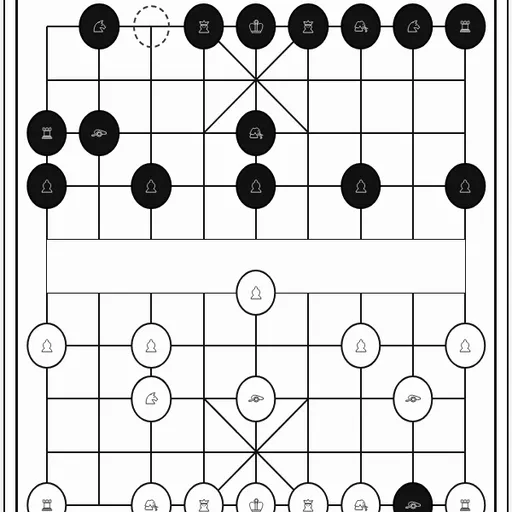
Xiangqi is Chinese chess, played on the points where lines cross instead of inside squares. A river splits the 9x10 board, each General hides inside a small palace, and cannons capture by jumping over exactly one piece. This Xiangqi version is part of Christopher Müller’s open-source PaperGames collection. You can play red or black against a computer with three levels, or share the screen with a friend. One button swaps the Chinese characters for picture symbols, which helps new players learn the pieces.
How to Play Xiangqi
Red always moves first. On your turn you move one piece, and you capture by landing on an enemy piece. You win by checkmating the enemy General, or by leaving the opponent with no legal move at all.
Each piece has its own rule. The General and the two Advisors stay inside the palace; the General steps one point straight, the Advisors one point diagonally. Elephants move exactly two points diagonally and may not cross the river. Horses go one point straight and one diagonally, unless a piece blocks the first step. Chariots slide any distance in a straight line. Cannons move like chariots but must jump over one piece, of either color, to capture. Soldiers step forward one point; after crossing the river they may also step sideways.
The two Generals may never face each other on an open file. The game refuses any move that would allow it. Repeating a position three times through endless checks or chases is not allowed either.
Xiangqi Controls
| Action | Keyboard | Mouse | Touch |
|---|---|---|---|
| Move a piece | Tab to the board, arrow keys to reach a point, Enter on your piece and again on its target | Click your piece, then click the point it should move to | Tap your piece, then tap its target point |
| Switch between character and symbol pieces | — | Click "Switch to symbols" or "Switch to characters" | Tap "Switch to symbols" or "Switch to characters" |
| Show or hide the move list | — | Click "Moves" | Tap "Moves" |
| Choose side and opponent | — | Pick red or black and a level, then click "New game" | Pick red or black and a level, then tap "New game" |
| Undo or resign | — | Click "Undo" or "Resign" | Tap "Undo" or "Resign" |
Tips and Strategies
- Open with a central cannon. Moving a cannon to the middle file aims it at the enemy General through the soldier in front.
- Develop horses early. A horse stuck behind its own pieces is easy to block, so bring it out before the board gets crowded.
- Get your chariots onto open files. The chariot is the strongest piece; an open file lets it reach both sides of the river fast.
- Watch the cannon screens. Any piece between an enemy cannon and your piece is a platform for a capture, even your own.
- Use the flying General rule. Your own General can pin an enemy piece on the center file, because moving it away would let the Generals face each other.
Features
- Easy, Medium and Hard computer levels, or two players on one device
- Choose red or black, and toggle between characters and symbol pieces at any time
- Move list in coordinate notation, plus Undo and Resign
- Perpetual check, perpetual chase and repetition draws are handled automatically
- The current game is saved in your browser between visits
Tested and updated: