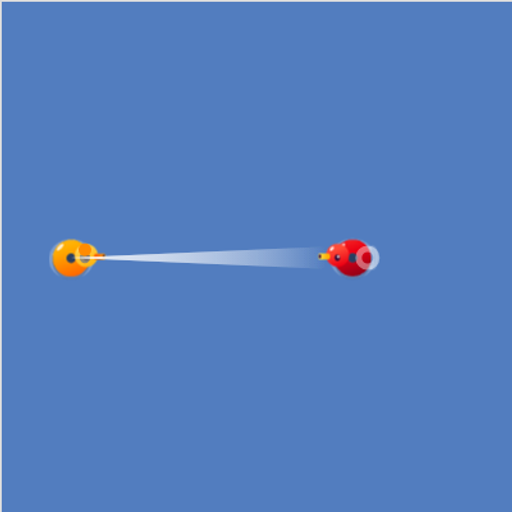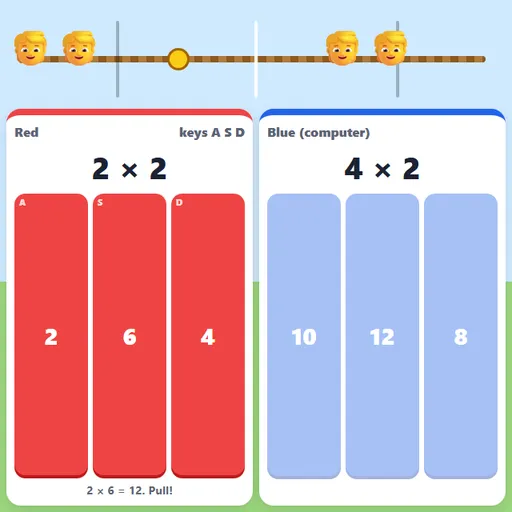
Multiplication Tug of War is a head-to-head race on one screen. A rope stretches across the field with a yellow knot in the middle. Each player has their own question and three answer buttons. Every correct answer pulls the knot one step toward your side, and the first player to drag it past their line wins. Multiplication Tug of War is the only game in our collection built for two people at once, which makes it a favorite for siblings, parents and classroom pairs.
How to Play Multiplication Tug of War
On the start screen, choose Red vs computer or Two players, then pick the tables: 2 to 5, 2 to 9 or 2 to 12. Against the computer, also choose its speed. Press Start pulling.
Red plays on the left and Blue on the right. Each side sees a different fact, such as 7 × 6, with three possible answers. Tap the right one, or use your keys: A, S and D for Red, J, K and L for Blue. A correct answer pulls the rope and brings a new question straight away. A wrong answer freezes your hands for a moment and shows the correct fact.
Five steps from the middle is a win. The end screen shows how many facts each side got right and wrong.
Multiplication Tug of War Controls
| Action | Keyboard | Mouse | Touch |
|---|---|---|---|
| Red player answers | A, S or D | Click a red answer button | Tap a red answer button |
| Blue player answers (two-player mode) | J, K or L | Click a blue answer button | Tap a blue answer button |
| Start or play again | Enter | Click "Start pulling" or "Play again" | — |
Tips for Winning the Pull
- Keep your fingers on the keys. On a keyboard, resting on A, S and D is much faster than reaching for a mouse.
- Do not guess. A freeze costs more than a second of thinking, and your opponent keeps pulling.
- Look at the last digit. The wrong choices are close to the right one, and the ones digit often gives them away.
- Even the match. When an older and a younger child play, give the younger one tables 2 to 5 in a separate round against the computer first, then play together on the easier range.
Ways to Use It at Home and School
Use it as a reward after quieter practice, as a five-minute warm-up between two students, or as a quick family challenge after dinner. For solo speed practice, Multiplication Race works the same skills against a pace car, and Multiplication Balloon Pop gives a 60-second round. The daily practice plan on Multiplication.com shows where speed games fit.
Tested and updated: