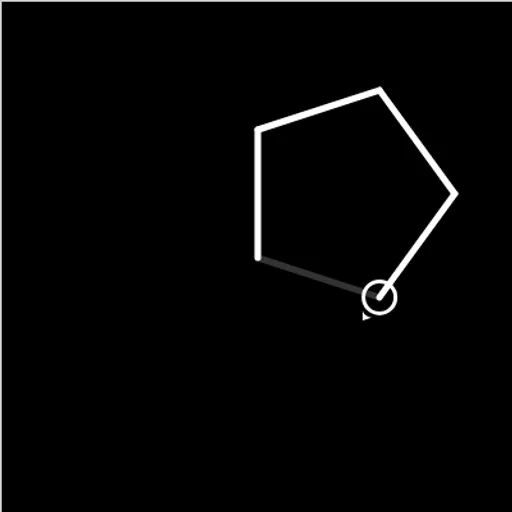
Block Code Turtle Art is a drawing puzzle where the pencil follows your program. A small turtle, shown as a circle with an arrow, sits on a black canvas. You give it orders with blocks, such as move forward by 100 or turn right by 90 degrees, and it leaves a line wherever it goes. In Block Code Turtle Art, loops are the real tool, because a short loop can draw what would take dozens of single steps.
How to Play Block Code Turtle Art
Each level shows a faint gray outline of the picture to draw and opens with a short goal, like “Create a program that draws a square.” Pick blocks from the categories on the left of the workspace, snap them into a stack and press Run Program. The turtle draws in white at the speed set by the slider.
If your lines match the outline, the level is solved and the game shows the JavaScript your blocks made. If not, press Reset, change a number or the order of the blocks, and run again.
The ten levels climb steadily. You start with a square and a pentagon, then stars drawn with only a few blocks. Later goals ask for four stars arranged in a square, yellow stars with white lines, a full moon made of 360 lines, and a crescent. The last level has no target at all.
Block Code Turtle Art Controls
| Action | Mouse | Touch |
|---|---|---|
| Open a block category | Click Turtle, Loops or another category name | Tap the category name |
| Build the program | Drag blocks into the workspace and snap them together | Drag blocks with your finger |
| Change a distance, angle or color | Click the value on a block and pick a new one | Tap the value and pick a new one |
| Run or clear the drawing | Click Run Program, then Reset | Tap Run Program, then Reset |
| Change drawing speed | Drag the slider between the turtle and rabbit icons | Slide the speed control |
Tips and Strategies
- Remember the 360 rule. Turning a total of 360 degrees brings the turtle back to where it started facing.
- Stars turn further. A five-point star uses 144 degree turns, so the turtle crosses its own path.
- Lift the pen to travel. Pen up lets the turtle move to a new spot without drawing a line.
- Nest your loops. One loop draws a star and an outer loop repeats the star and the move to the next corner.
- Slow it down to debug. Drag the speed slider toward the turtle icon to see exactly where a line goes wrong.
Features
- Ten drawing goals with a gray guide outline on each target level.
- Pen controls for color, line width and lifting or lowering the pen.
- Adjustable speed from a slow trace to near-instant drawing.
- Saved progress for finished levels in your browser.
Tested and updated: