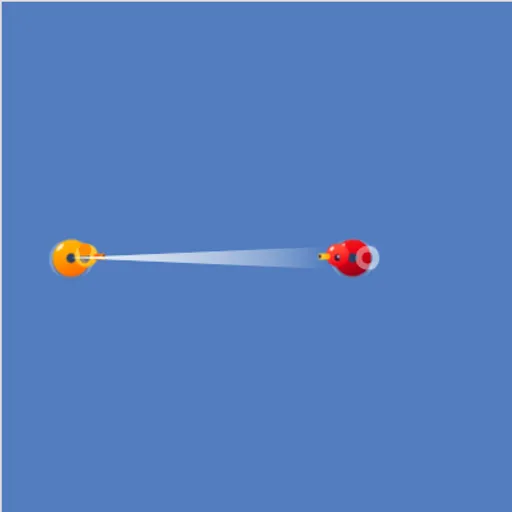
Block Code Duck Pond is a programming game set in a small blue pond full of rubber ducks. Your duck has a cannon, a scanner and the ability to swim, and you control all three with code. Each opponent duck is a puzzle: one sits still, one bobs back and forth, one is out of range. Block Code Duck Pond is also a bridge to real code, because every challenge comes back right away as a JavaScript exercise.
How to Play Block Code Duck Pond
The pond fills the left of the screen with your orange duck and an opponent. Health bars under the pond show how much damage each duck can still take. On block levels you snap together commands like cannon, scan and swim. On JavaScript levels the same commands are typed into a code editor with line numbers.
Press Run Program and your duck carries out the program in real time. Knock the opponent’s health to zero to win. The success message shows the JavaScript behind your blocks, and OK moves you on.
The first pair asks for one well-aimed shot. The next needs a while loop because the target takes many hits. Then comes a moving opponent that you track with scan, a distant one you must swim into, a weak-duck level where you swim partway, stop and fire, and finally an opponent that flees when hit.
Block Code Duck Pond Controls
| Action | Keyboard | Mouse | Touch |
|---|---|---|---|
| Build a program (block levels) | — | Drag blocks from the Pond and Math categories | Drag blocks with your finger |
| Write a program (JavaScript levels) | Type in the code editor | Click in the editor to place the cursor | — |
| Set an angle or a number | Type the number and press Enter | Click the value and type a new one | Tap the value |
| Run or reset the battle | — | Click Run Program, then Reset | Tap Run Program, then Reset |
| Look up the commands | — | Click Documentation | Tap Documentation |
Tips and Strategies
- Work out the angle on paper. A target straight above you is at 90 degrees, and straight to the right is 0.
- Feed scan into cannon. Using scan(angle) as the range lets the shot land on a moving duck every time.
- Wrap attacks in while (true). A single shot rarely finishes an opponent, so keep firing in a loop.
- Watch your own health. Crashing into a duck hurts you too, which is why one level makes you stop before contact.
- Read the Documentation panel. It explains loc_x, loc_y, speed and health, which help with the last levels.
Features
- Ten levels as five challenges, each solved in blocks and then in JavaScript.
- Built-in code editor with syntax coloring for the text levels.
- Documentation panel with a compass, a pond map and every command.
- Live battle view with health bars and cannon fire.
Tested and updated: