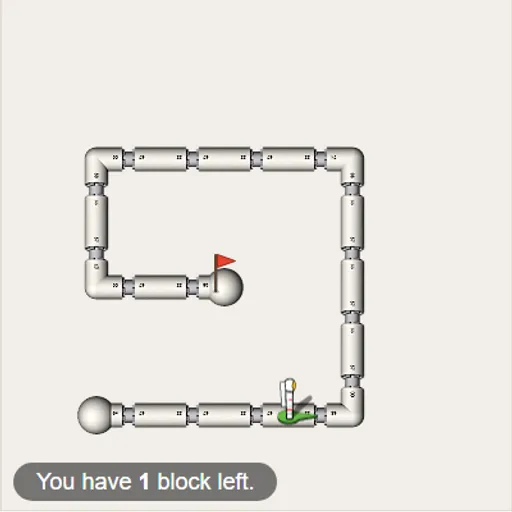
Block Code Maze teaches programming without typing a single line. You build a short program out of colored puzzle-piece blocks, press Run, and an astronaut follows your instructions along a maze of white pipes. Block Code Maze has ten levels, and each one adds a new idea, from simple sequences to loops and decisions, until the last maze needs a program that can find its own way.
How to Play Block Code Maze
The left side shows the maze, the astronaut and a red goal flag. The right side holds a gray toolbox of blocks and a white workspace. Drag blocks into the workspace and stack them so they click together, top to bottom. That stack is your program.
Press Run Program to watch the astronaut carry out each block in order. If it reaches the flag, a message congratulates you and shows the JavaScript your blocks produced. Press OK to move on. If it walks into a wall or stops short, press Reset and change the program.
Early levels need only “move forward” and “turn”. Then “repeat until” arrives, so one loop can replace a long stack. Later mazes add “if path” and “if-else” blocks that check for open paths. Many levels limit how many blocks you may use.
Block Code Maze Controls
| Action | Mouse | Touch |
|---|---|---|
| Add a block to your program | Drag it from the gray toolbox into the white workspace | Drag it with your finger |
| Join blocks | Drop a block just under or inside another until it clicks in place | Drop it under or inside another block |
| Remove a block | Drag it onto the trash can or back to the toolbox | Drag it onto the trash can |
| Change a direction in a block | Click the small drop-down arrow on the block | Tap the drop-down arrow |
| Run or stop the program | Click Run Program, then Reset | Tap Run Program, then Reset |
| Jump to another level | Click a dot or number at the top | Tap a dot or number |
Tips and Strategies
- Trace the route with your finger first. Count the steps and turns before you build anything.
- Look for repeating patterns. If the path is “forward, turn left” over and over, put those two blocks inside one loop.
- Watch the block counter. Running low means the level wants a loop or a decision, not more steps.
- Turns are relative. “Turn left” means the astronaut’s left, which may be your right when it faces down the screen.
- Try the wall-follower idea. For the last mazes, keep moving forward and turn whenever a path opens on one side.
Features
- Ten levels that build from two-block solutions to programs with nested decisions.
- Generated JavaScript shown after each win, linking blocks to real code.
- Block budgets that reward short, clever programs.
- Saved progress for finished levels in your browser.
Tested and updated: