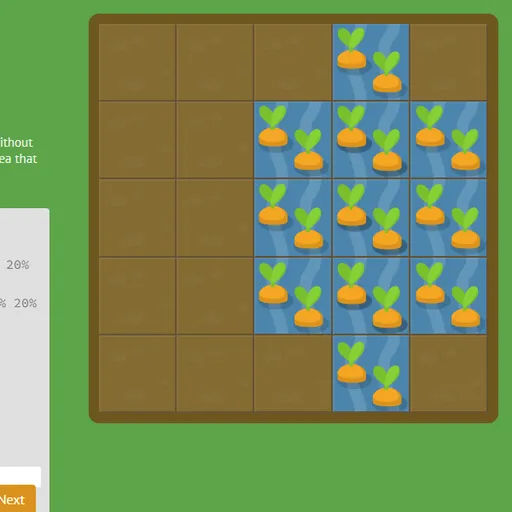

CSS Grid Carrot Patch is a coding puzzle that teaches CSS grid layout in a vegetable garden. The garden is a five-by-five grid of soil, and some squares hold carrots or weeds. You write real CSS that places a patch of water over the carrots or poison over the weeds. Because the garden is an actual grid container, the patch moves as you type, which makes line numbers and spans much easier to picture than in a textbook.
How to Play CSS Grid Carrot Patch
Each level gives a short lesson, a code box and the garden. Most of the stylesheet is already written, and you fill in the missing declarations. When the water or poison covers exactly the right squares, the Next button lights up. Press it and the treated plants switch to their finished look before the next level loads.
The 28 levels start with single properties. You place the water using grid-column-start and grid-column-end, learn that negative numbers count from the right edge, and use span to set a width instead of an end line. Then the grid-column and grid-row shorthands combine start and end, and grid-area sets all four lines at once. Some levels have two patches that overlap.
Next comes the order property, which rearranges items that are placed automatically. The last levels change the grid itself with grid-template-columns, grid-template-rows and the grid-template shorthand. Along the way you use percentages, pixels, ems, repeat() and fr units. Solving the final level shows a short win screen.
CSS Grid Carrot Patch Controls
| Action | Keyboard | Mouse | Touch |
|---|---|---|---|
| Type CSS | Type in the code box | — | Tap the code box and use the on-screen keyboard |
| Submit a correct answer | Enter on the last line, or Ctrl + Enter | Click "Next" once it lights up | Tap "Next" |
| Pick a level | — | Click the level counter, then a level number, or use the side arrows | Tap the level counter, then a level number |
| Read about a property | — | Point at a highlighted property name in the instructions | — |
Tips and Strategies
- Count lines, not squares. A patch that covers columns 2 through 4 runs from line 2 to line 5, so write
grid-column: 2 / 5. - Use span when the size is known.
grid-column-end: span 3covers three cells from wherever the patch starts. - Remember the grid-area order. The four values go row start, column start, row end, column end, which is not the same order as margins.
- Let fr share leftover space. In
1fr 5fr, fixed columns are sized first and the rest is split one part to five. - Point at the property names. The highlighted words in each lesson show a list of the values they accept.
Features
- Live garden preview: watch the water or poison move with every keystroke.
- Gradual lessons: each level adds one property or unit.
- Level menu: jump to any of the 28 levels, with solved ones marked.
- Saved answers: your code for each level is remembered in the browser.
Tested and updated: